

WordPress maintenance keeps the core, plugins and server environment up to a version for which the manufacturers still provide security updates, and backs up the website before any changes are made. Hosting alone does not provide this. The hosting provider operates the server, but the installation on it continues to age without intervention. WordPress statistics as at 26 October 2026 show that around 34 per cent of all recorded installations are running on a version of PHP that no longer receives security updates, and that 36 per cent are using a version older than the current WordPress 7.1. A maintenance contract specifies who installs updates, who backs up the site beforehand, who checks it afterwards, and who can be contacted in an emergency.
What WordPress maintenance involves
At the heart of maintenance are updates at three levels: WordPress itself, the plugins and themes, and the PHP version on the server. According to the WordPress documentation on updates, the system automatically installs minor maintenance and security releases by default. Major versions only update automatically for new installations from version 5.6 onwards. Every plugin and theme remains at its current version without any intervention, unless you enable automatic updates for each individual extension. This is precisely where the gap arises. According to Patchstack’s security report, 91 per cent of the 11,334 vulnerabilities in 2025 affected plugins, 9 per cent affected themes, and only six reports concerned the core.
The second stage is the backup. The WordPress documentation on backups refers to files and the database as a pair that, only when combined, allow for a full restoration, and recommends three to five up-to-date copies stored in different locations, as well as a backup before every upgrade. The third level is the post-update check: does the homepage load, do the forms and checkout work, and are the layout and loading times correct? This is complemented by monitoring site availability and checking the server environment. In its system requirements, WordPress recommends PHP 8.3 or later, as well as MariaDB 10.11 or MySQL 8.0, and warns that older versions leave the website vulnerable to security breaches.
Which maintenance schedule is right for your website
The frequency depends on the developers’ schedule. The WordPress release schedule shows three security releases over three weeks in autumn 2026: 7.1.1 on 17 September, 7.1.2 on 22 September and 7.1.3 on 6 October 2026. WordPress points out there that only the latest version of the current series is considered secure and is supported. The pressure is even greater when it comes to plugins. According to Patchstack, the weighted median time until the first exploitation of a disclosed vulnerability is five hours, and in 46 per cent of reports, no patch was available at the time of disclosure. A monthly update schedule does not cover these cases. This requires automatic security updates plus an early warning system for vulnerabilities without a patch. Our article on WordPress security describes what the attack window looks like in everyday use, whilst a specific case is outlined in the post on wp2shell.
When it comes to backups, the WordPress documentation provides a simple rule: back up small websites with few posts weekly, heavily used ones daily, and occasionally check automatic backups manually to ensure they are actually working. For PHP, an annual cycle applies. According to the support overview on php.net, each version receives two years of active support, followed by two years of security updates. For PHP 8.2, these end on 31 December 2026; PHP 8.1 has been without support since 31 December 2025. Anyone still using PHP 7.4 today – as is the case with 15 per cent of all recorded WordPress installations – has been without security updates for the language in which WordPress is written since 28 November 2022. Upgrading to the latest version of PHP should therefore be included in the annual maintenance schedule, with testing carried out on a copy of the website, as older plugins may stop working during the process.
Who handles WordPress maintenance
There are three common approaches. You can do it yourself, which works for a small website with few plugins, provided someone installs the updates regularly, backs up the site beforehand and checks it afterwards. The hosting provider takes care of the server, PHP and usually a backup of the web space, but does not handle updates to plugins and themes, nor does it check your website afterwards. An agency bundles updates, backups, testing, monitoring and emergency support into a single contract with fixed response times. The diagram illustrates the distinction between hosting and maintenance: on the left, the server runs stably, whilst the installation on it becomes outdated and accumulates vulnerabilities. On the right, the maintenance contract keeps the same website up to date, with a backup taken before every intervention and a check carried out afterwards. A good contract covers at least the following points:
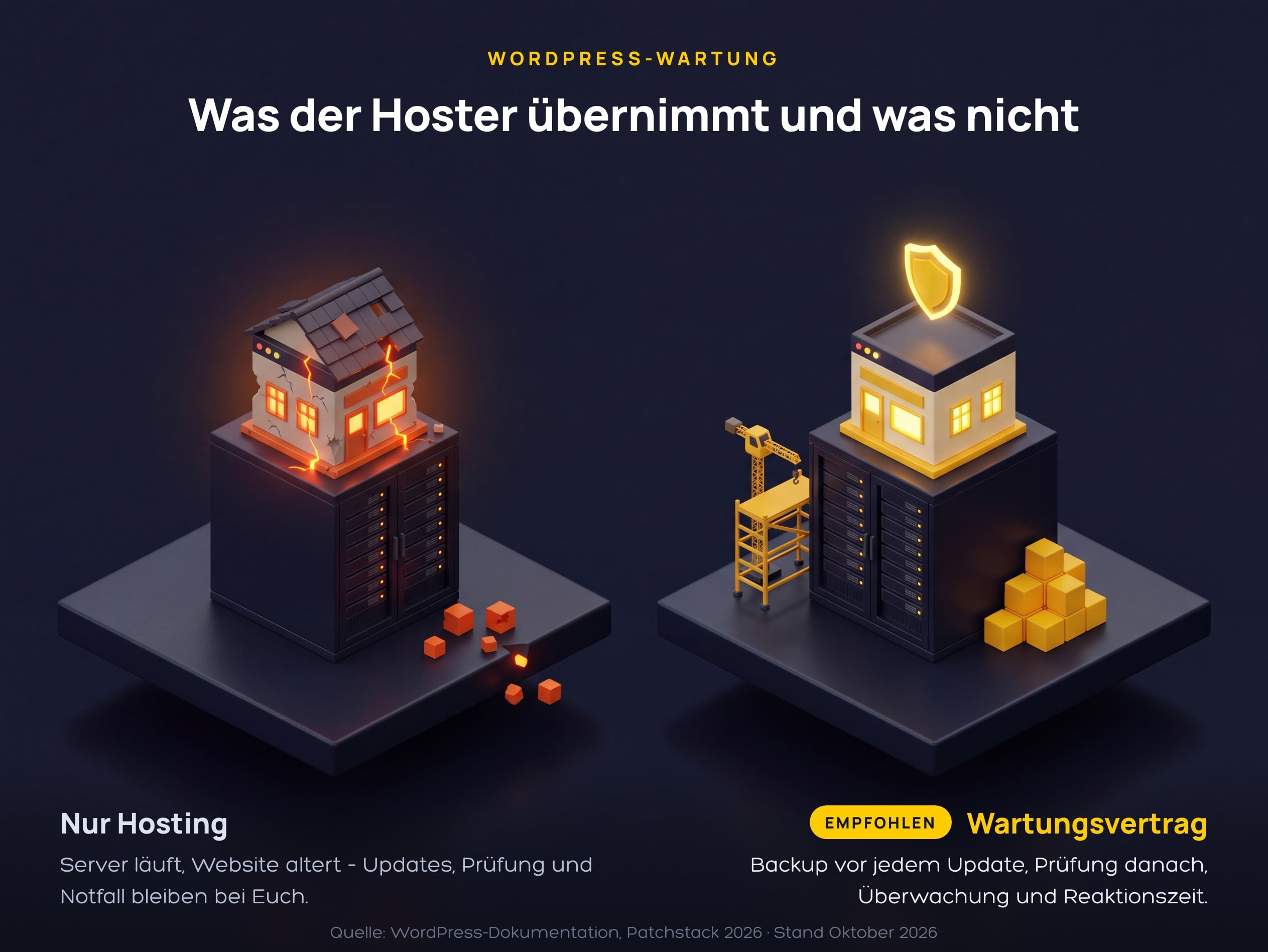
- Update Frequency and Response Time: when regular updates are carried out and how quickly a reported security vulnerability is patched.
- Backups: A backup before every update, how long copies are retained, storage within the EU, and a recovery process that is regularly tested.
- Post-update check: visual inspection of the most important pages, testing of forms, booking processes and the checkout; for major changes, testing is carried out in advance on a test copy.
- Monitoring: site availability, SSL certificate, page load times and alerts for new administrator accounts or modified files.
- Emergencies: Recovery from a backup, clean-up following a hack and an accessible point of contact with a guaranteed response time.
- Reporting and data protection: a monthly report on all actions carried out and a data processing agreement in accordance with Article 28 of the GDPR, as the agency has administrator access and can therefore access personal data.
What maintenance costs and what drives the price
Prices depend on the scope of the service, and the figures below are provided by the service providers themselves.Kopf & Stift offers tiered packages ranging from €25 net per month for small content-based websites, including a monthly update cycle and 30 days’ backup retention, up to €124 net for WooCommerce shops, which include a test order after every update. Forge12 quotes €29 per month as its entry-level price and estimates €50 per month in its own cost comparison. WPBeginner estimates that, by December 2025, a business website will cost between 100 and 300 US dollars a month, whilst online shops will cost between 300 and 1,000. By way of comparison, in an emergency: Forge12 estimates that a recovery following a hack would take eight hours at €35 to €160 per hour, totalling €280 to €1,280. The price is primarily determined by the following factors:
- Number of extensions: every plugin and every theme means its own updates and its own checks.
- Features that pose a business risk – such as an online shop, booking system, members’ area or multilingual functionality – increase the testing workload after every update.
- Response time and frequency: Updates within 24 hours and availability checks every 15 minutes cost more than a monthly service call.
- Hours included: minor changes and support either included in the package or billed on a time-and-materials basis.
- Licences: Premium plugins and themes require active licences; otherwise, updates will not be provided.
- Binding agreement: a WordPress agency in Düsseldorf should confirm each point on the contract list above in writing.
FAQs on WordPress Maintenance
Why is WordPress maintenance a good idea?
This is because WordPress only automatically installs minor core updates, whilst plugins, themes and PHP become outdated without intervention. According to Patchstack, 11,334 vulnerabilities were reported in the WordPress ecosystem in 2025, 91 per cent of which were in plugins. WordPress maintenance closes these gaps promptly, backs up the website beforehand and checks it afterwards.
How often should WordPress be updated?
Security updates immediately; regular updates at least once a month. In autumn 2026, three WordPress security releases were issued within three weeks, and disclosed plugin vulnerabilities are exploited within a median of five hours. The PHP version needs to be reviewed once a year, as each version ceases to receive security updates after four years.
How much does WordPress maintenance cost per month?
According to providers, prices range from €25 to €60 net per month for a business website without a shop, and from around €120 for WooCommerce shops, including a test order after every update. International providers charge between 100 and 300 US dollars for business websites. The price rises with the number of plugins, the inclusion of shop and booking functions, and faster response times.
Is the backup provided by my hosting provider sufficient?
No, a single backup is usually not enough. WordPress recommends three to five up-to-date copies stored in different locations – comprising both files and the database – and an additional backup before every update. The hosting provider’s backup runs according to their own schedule and rarely immediately before your update. You should have practised restoring from it at least once before relying on it.
Can I handle WordPress maintenance myself?
Yes, for a small website with just a few plugins and no online shop. This includes: enabling automatic updates for the core and verified plugins, taking a backup before every manual update, checking the most important pages and forms afterwards, and upgrading the PHP version once a year. As soon as the website generates revenue or there’s no one reliably scheduling the updates, a maintenance contract is worth considering.