
1. immersive 3D elements and spatial interfaces
In 2025, a new trend is entering the web design world: immersive 3D elements and spatial interfaces are transforming flat designs into interactive experiences with depth and dimension. This technology uses WebGL, Three.js and enhanced browser capabilities to create engaging and memorable user experiences without the need for specialized hardware. This opens up completely new opportunities to take your online presence to the next level and stand out from the competition.
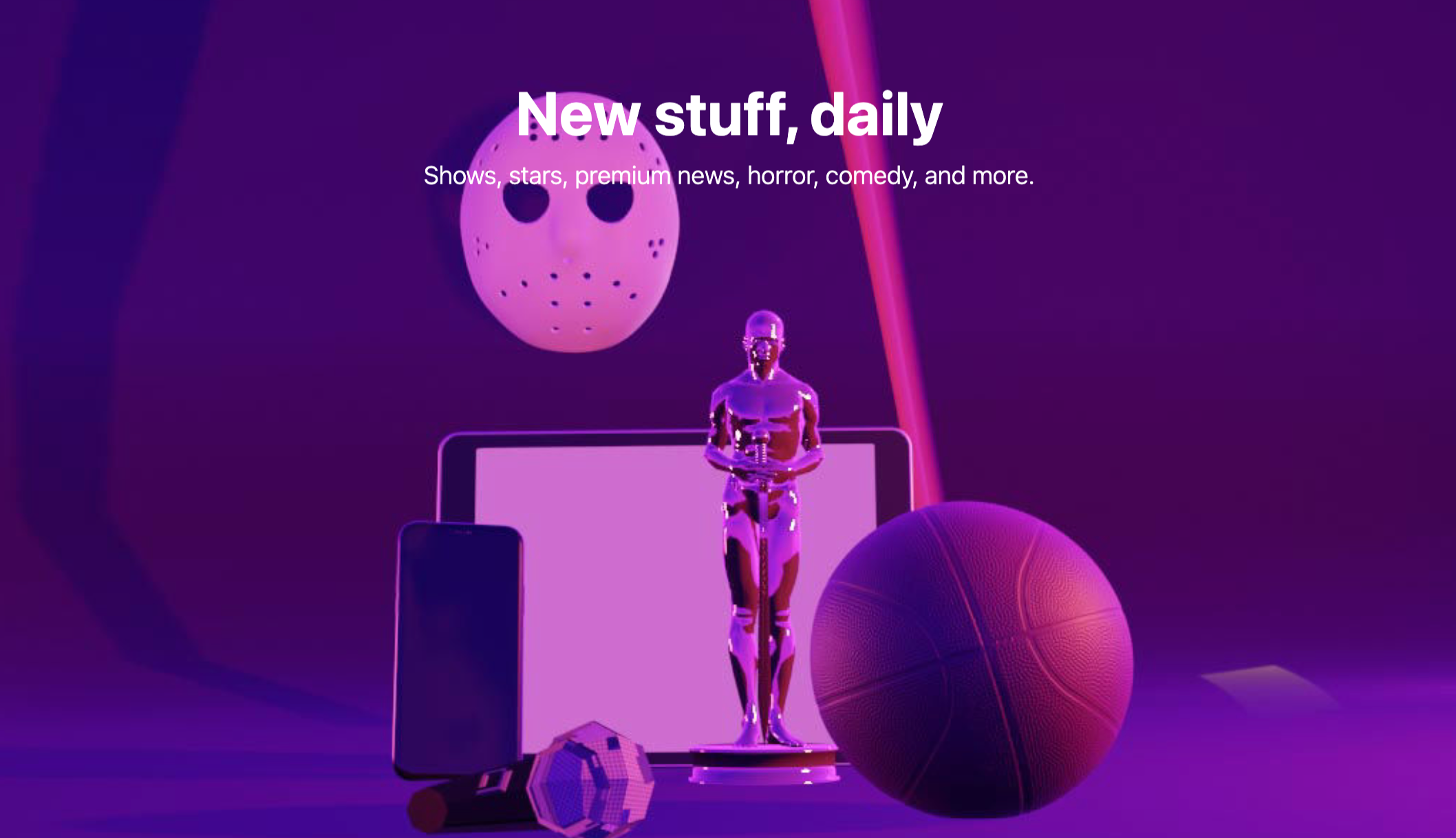
Specifically, this means the integration of interactive 3D models that users can manipulate, parallax scrolling effects for a dynamic depth effect and spatial navigation systems that guide the visitor through the website. Dynamic perspective changes based on cursor movement enhance the immersive effect and offer a unique user experience. For e-commerce companies, this trend offers the opportunity to present products in an innovative and interactive way. Imagine your customers being able to virtually view a product from all sides and interact with it before they buy it. This not only increases the time spent on the site, but also strengthens trust in your products and brand.
Examples of successful implementations:
- Apple's product pages: Interactive 3D models allow a detailed view of the products.
- Polestar (Automotive): Spatial navigation through the vehicle models.
- Bruno Simon's portfolio: An award-winning example of immersive 3D web experiences. (bruno-simon.com)
- Lusion: Experimental 3D web experiences (lusion.co)
- Stripe documentation: Subtle 3D elements improve the user experience.
Advantages:
- Memorable and unmistakable brand experiences
- Increased user engagement and time spent on the website
- Innovative product presentation
- Differentiation from the competition
- Intuitive communication of complex information
Disadvantages:
- Higher development costs and complexity
- Potential performance problems on low-performance devices
- Careful implementation required for accessibility
- May distract from content if used excessively
- Longer loading times possible
Tips for implementation:
- Start with subtle 3D effects.
- Provide fallbacks for devices with limited capabilities.
- Use WebGL frameworks such as Three.js.
- Optimize 3D assets for web load times.
- Test the performance on different devices.
Why this trend should not be missing from the list of web design trends 2025:
Immersive 3D elements and spatial interfaces offer the opportunity to transform websites into unique and interactive experiences. They appeal to users on an emotional level and create a stronger connection to the brand. Especially for companies that value an innovative and appealing online presence, this trend is a must. The combination of modern technology and creative design creates digital experiences that are memorable and offer real added value for the user. For companies active in digital marketing, search engine optimization and ads management, this trend offers new opportunities to inspire customers and stand out from the competition.
2. AI-driven personalization and dynamic content
In 2025, web design is increasingly leveraging the power of artificial intelligence (AI) to create personalized and dynamic experiences that adapt to individual user behavior, preferences and context. This trend goes beyond simple user segmentation to create truly individualized web experiences that feel tailored to each visitor in real time. It's no longer just about categorizing users into groups, but offering each individual a unique experience.
In concrete terms, this means that website content, visual elements and even navigation paths are dynamically adapted to the respective user. AI-supported recommendation systems analyze user behaviour in real time and present relevant products, services or information. By analyzing the user journey, dynamic navigation paths can be created that intuitively guide the user to their destination. Automated A/B testing with AI optimization enables the continuous improvement of the website and the Maximization of conversion rates. Learn more about AI-driven Personalization and Dynamic Content This is particularly relevant for companies that require digital marketing and ads support, as it can significantly increase the effectiveness of campaigns.
Features at a glance:
- Real-time adaptation of content based on user behavior
- Personalized visual elements and layouts
- AI-based recommendation systems
- Dynamic navigation paths based on the user journey analysis
- Automated A/B testing with AI optimization
Advantages:
- Significant improvement in user engagement and conversion rates
- More relevant user experiences
- Reduction of bounce rates through contextual relevance
- Sophisticated content targeting without manual intervention
- Valuable insights into user preferences
Disadvantages:
- Considerable effort for data collection and management
- Data protection concerns and compliance requirements (GDPR)
- Initial implementation complexity and costs
- Risk of filter bubble formation or overly narrow experiences
- Technical overhead for real-time processing
Examples of successful implementation:
- Netflix: Dynamic content presentation system
- Spotify: Personalized user interface and recommendations
- Amazon: Customization of product pages based on browsing history
- Salesforce: Einstein-powered personalized customer portals
- Adobe Target: AI-driven personalization of experiences
Tips for implementation:
- Identify the most important personalization options with the greatest impact.
- Implement clear data protection controls and transparent data usage policies.
- Develop systems that improve over time as the amount of data increases.
- Ensure a balance between automation and human control in design decisions.
- Test personalization strategies with sample user segments before full rollout.
Popularized by:
- Adobe Experience Platform
- Salesforce Einstein
- Google's personalization AI toolsets
- Dynamic Yield (acquired from McDonald's and Mastercard)
- Optimizely and other experience optimization platforms
AI-driven personalization and dynamic content deserve their place in this list of web design trends 2025, as they have the potential to fundamentally change the way users interact with websites. For companies that need professional web development and want to compete digitally, implementing this technology is an important step to optimize the user experience and increase business success.
3. microinteractions and motion UI

In 2025, microinteractions and motion UI are no longer optional extras, but essential components of modern web design. They shape the user experience significantly and therefore deserve their place in this list of web design trends 2025. These subtle, targeted animations and interactive elements provide immediate feedback, direct the user's attention and create emotional connections through thoughtful movements and an almost lively behavior.
What are microinteractions and motion UI?
Microinteractions are small, usually short animations that react to a specific user interaction. Examples of this are the wobbling of a login field when an incorrect entry is made or the gentle highlighting of a button when hovering with the mouse. Motion UI, on the other hand, describes the more comprehensive use of animations in the user interface, for example during page transitions or when loading content. The targeted use of movement makes the user interface more dynamic, more intuitive and ultimately more appealing.
Features and benefits:
- Subtle interface animations: Reactions to user actions, such as clicking a button or filling out a form.
- Animated status displays: Visual feedback on the current status of an action, e.g. when uploading a file.
- Animated transitions: Smooth transitions between different pages or states of the application.
- Gesture-based interactions: Intuitive navigation on touch devices by swiping, dragging and other gestures.
- Animated data visualizations: Dynamic display of data that reacts to user input.
Advantages (Pros):
- Improved usability: Clearer feedback mechanisms facilitate navigation and interaction.
- Emotional resonance: Movement elements create an engaging and positive user experience.
- Targeted attention control: Important elements are highlighted and draw the user's attention.
- Shorter loading times (felt): Strategic animations bridge waiting times and reduce the perceived loading time.
- Brand differentiation: An individual „motion language“ contributes to the brand identity.
Disadvantages (Cons):
- Motion sickness: Excessive or poorly implemented use of animations can lead to nausea.
- Accessibility: Users with vestibular disorders can be affected by animations. Therefore, the implementation of
prefers-reduced-motionessential. - Performance losses: Non-optimized animations can have a negative impact on website performance.
- Complexity: Design and development of complex animations require expertise.
- Distraction: Too many or unnecessary animations can distract from the actual content.
Examples of successful implementation:
- Stripe: Subtle button and form interactions.
- Mailchimp: Playful animation system.
- Google Material Design: Defined Motion Language.
- Pitch.com: Fluid interface transitions.
- Framer: Showcase for Motion Capabilities (https://www.framer.com/).
Tips for implementation:
- Targeted animations: Focus on usability, not decoration.
- Consider accessibility:
prefers-reduced-motionsupport. - Optimize performance: Use RAIL Performance Model.
- Consistent Motion Language: Uniform movement language throughout the interface.
- CSS Animations & Transitions: For better performance wherever possible.
Popularized by:
- Apple's Human Interface Guidelines
- Google's Material Design Motion Principles
- Animation Specialists (Val Head, Sarah Drasner)
- UI Animation Tools (Lottie, Framer)
- Frontend Frameworks (GSAP)
By skillfully integrating microinteractions and motion UI, companies, especially in e-commerce and digital marketing, can create a modern and appealing web experience that significantly improves the user experience and helps to strengthen the brand. Investing in professional web design with a focus on motion design pays off in the long term.
4. dark mode and color scheme preferences
Dark mode and user-controlled color scheme preferences have evolved from a trend to a standard in web design 2025. Modern websites now implement sophisticated theme systems that take into account the user's operating system preferences while offering advanced customization options and carefully crafted color palettes for light and dark environments. This point deserves its place in the list of web design trends 2025, as it significantly influences both user experience and accessibility.
How it works:
The implementation is primarily based on the CSS Media Query prefers-color-scheme, which recognizes the setting defined by the user in the operating system. Websites respond by loading the appropriate stylesheets to switch between light and dark mode. In addition, advanced implementations offer extensive customization options that go beyond the simple light/dark scheme and persistently store the user settings so that they are retained on subsequent visits to the website.
Features:
- System preference detection using
prefers-color-scheme - Seamless transitions between light and dark mode
- Optimized images and assets for different modes
- User-defined color themes beyond the light/dark scheme
- Persistent storage of user settings
Advantages:
- Improved accessibility and reading comfort under different lighting conditions
- Reduced eye strain at night or in low-light environments
- Lower battery consumption on OLED screens
- Personalization options for users
- Demonstrates user orientation and modern design standards
Disadvantages:
- Increased effort for maintaining multiple color systems and testing both modes
- Design challenges in maintaining brand identity in both modes
- Technical complexity for seamless transitions
- Additional effort in the management of mode-specific images
- Potential performance losses due to CSS variables and JavaScript
Examples of successful implementations:
- GitHub: Comprehensive dark mode implementation (github.com)
- Twitter: Custom color themes beyond light/dark (twitter.com)
- Apple documentation: Perfect dark mode support (apple.com/documentation)
- Notion: Clean, seamless dark mode transition (notion.so)
- Slack: Extensive theme customization system (slack.com)
Tips for implementation:
- Use CSS Custom Properties (variables) to manage the color schemes.
- Test the contrast ratios in both modes for accessibility.
- If necessary, create separate assets for dark mode.
- Implement smooth transitions between modes to avoid abrupt changes.
- Respect the user's system setting as the default setting.
Popularized by:
- Apple's implementation in iOS and macOS
- Google's Material Design Dark Theme Guidelines (material.io)
- Large social platforms such as Twitter, Reddit and Instagram
- Development tools such as VS Code with theme customization
- CSS Working Group with the
prefers-color-schemeMedia Query
5. variable fonts and typographic experimentation
Variable fonts and advanced typographic experimentation are changing web design in 2025. Static typography is a thing of the past; fluid, responsive and interactive text experiences are the future. This technology makes it possible to store infinite variations of weight, width, slant and custom attributes in a single font file. The result is dynamic typography that responds to user interaction, viewport size and design context. This trend secures its place in the list of 2025 web design trends, as it can significantly improve both the aesthetics and performance of websites.
How does it work?
Variable fonts use the OpenType specification and allow designers to access different axes of variation via CSS. Instead of loading several font files for different font styles, a single variable font file is sufficient. For example, the font weight (from Thin to Black), width (from Condensed to Extended) and slant can be dynamically adjusted. Learn more about Variable Fonts and Typographic Experimentation for a detailed overview.
Features and benefits:
- Individual font files with several variation axes: Reduces the number of files to be loaded and improves loading times.
- Responsive typography: Adapts to different screen sizes and devices, ensuring a consistent and readable experience - essential for mobile users.
- Interactive text: Reacts to user interaction such as scrolling or mouseover and enables innovative and appealing design solutions.
- Performance advantages: Fewer HTTP requests and smaller file sizes lead to faster loading times. A plus point for search engine optimization (SEO) and user experience.
- Custom animation of typographic properties: Enables the creation of unique brand identities and dynamic visual effects. Particularly relevant for companies that use digital marketing and ads management to stand out from the competition.
- Improved accessibility: The flexible adjustment of font size and thickness improves readability for users with visual impairments.
Examples of successful implementations:
- Monotype's Variable Font Showcase Websites
- Responsive Headlines of the New York Times
- Google Fonts Variable Font Collection
- Typographic experiments by design studios such as Pentagram and Huge
- Adobe's Variable Font Integration in Creative Cloud Websites
Advantages and disadvantages at a glance:
Advantages:
- Dramatically expanded typographic expression possibilities
- Improved performance due to fewer font files to load
- Better responsive design through fluid typography
- Strengthened brand identity through custom typographic animations
- Accessible text thanks to improved readability at different sizes
Disadvantages:
- Limited browser support for some advanced functions
- Learning curve for designers who are used to static typography
- Potential performance problems with excessive or incorrect implementation
- Complexity when managing multiple variation axes
- Quality problems with some variable fonts with extreme settings
Tips for implementation:
- Start with well-tested variable fonts from well-known font providers.
- Implement feature detection for browser compatibility.
- Use the CSS property
font-variation-settingsfor precise control. - Consider the performance effects when animating typography.
- Create fallbacks for browsers without variable font support.
Popularized by:
Adobe, Apple, Google and Microsoft with the OpenType Variable Fonts specification, font providers such as Monotype and Hoefler&Co, typography designers such as Erik van Blokland and David Berlow, Google Fonts with its Variable Fonts collection and the CSS Working Group with the font-variation-settings Specification.
Variable fonts offer companies that require professional web development the opportunity to create innovative and high-performance websites in 2025 that are characterized by an individual and appealing design. They are a powerful tool to strengthen brand identity and improve the user experience.
6 Advanced Scroll-Driven Experiences
In 2025, scroll-driven experiences are far more than just simple parallax effects. They have evolved into complex, interactive narratives and interface transformations that are precisely controlled by the user's scrolling. Modern scroll experiences use the ScrollTimeline API and advanced animation techniques to create immersive storytelling elements, spatial navigation and transformative layouts that respond dynamically to scroll position.
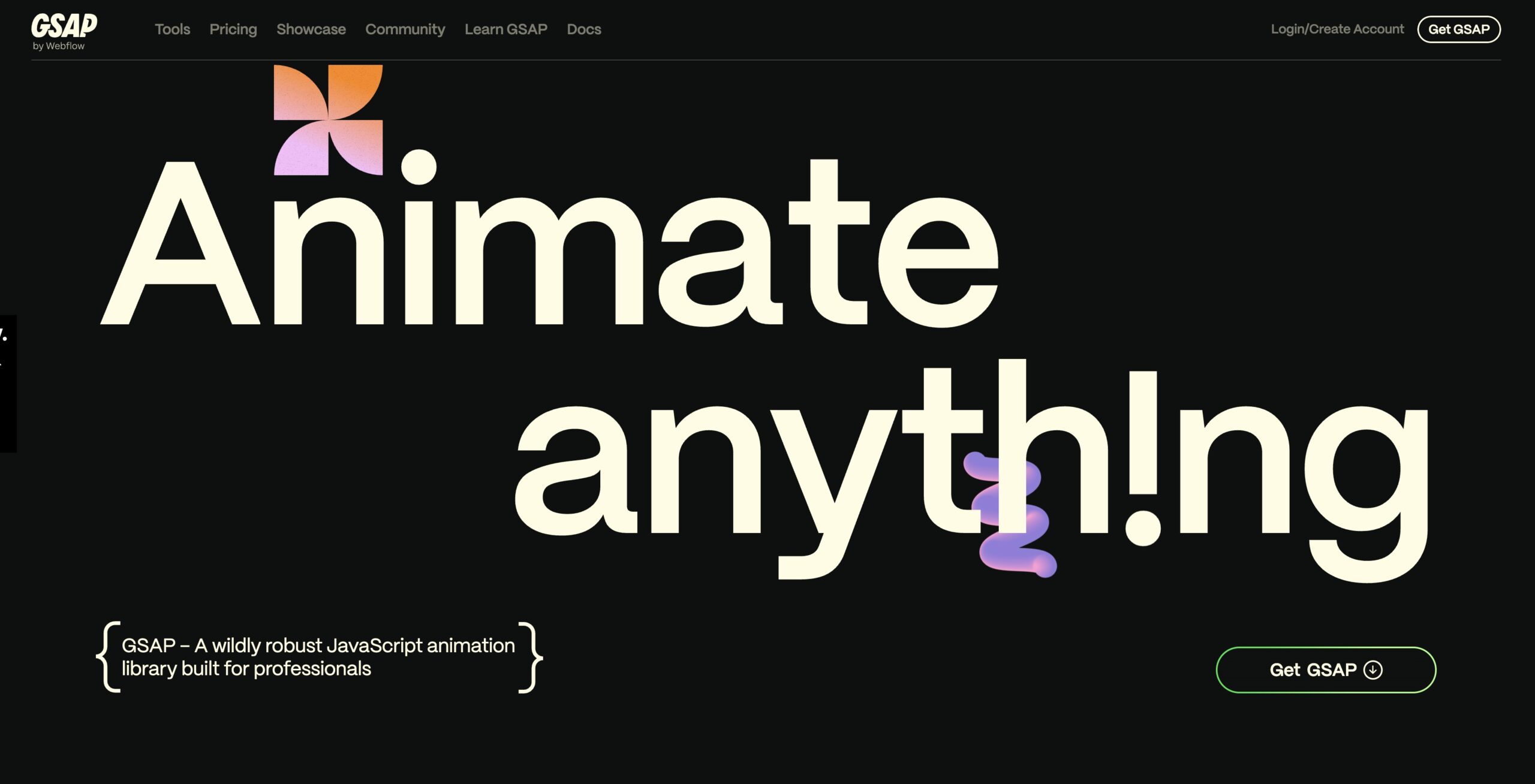
Features include scroll-bound animations using the ScrollTimeline API, horizontal scrolling for spatial navigation, narrative scrollytelling with synchronized media, interface transformations triggered by scroll position and virtual 3D spaces navigated by scrolling. These techniques offer the opportunity to create intuitive and engaging user experiences, enable innovative storytelling approaches and content presentations, and leverage users' habitual scrolling behavior for navigation. The result? A significant increase in content interaction and memorable, distinctive brand experiences.
Examples of successful implementations can be found on the product pages of Apple with their scroll-driven animations, in the award-winning interactive features of the New York Times, in Pitch.coms scroll-based product presentation, in Spotify's annual „Wrapped“ scroll experiences and on the websites of Awwwards winners. These examples illustrate how Advanced Scroll-Driven Experiences can be used for different use cases, from product presentations to complex narrative content.
Despite the many advantages, there are also challenges. Accessibility for keyboard and screen reader users can be impaired, and performance on low-performance devices can suffer. Implementation is complex and unusual scrolling behavior can confuse users. There is also a risk of disrupting users' expectations of common scrolling patterns. For companies that require professional web development, it is therefore important to take these aspects into account during planning and implementation.
The following tips are therefore important for implementation: Provide alternative navigation methods for accessibility, use scroll animations sparingly on content-rich pages, implement performance monitoring for smooth scrolling, test on different devices and with different scrolling methods and provide visual cues for scrollable content.
Advanced Scroll-Driven Experiences deserve their place in the web design trends of 2025, as they have the potential to fundamentally change the user experience. By combining innovative technology and creative design, they open up new possibilities for interactive storytelling and memorable brand communication. Popularization by Apple's marketing team, storytelling teams at major publications, GSAP with ScrollTrigger, award-winning agencies such as Resn and Active Theory, and the CSS Working Group with the ScrollTimeline specification underscores the relevance of this trend for the future of web design.
7. further development of neomorphism and glass morphism
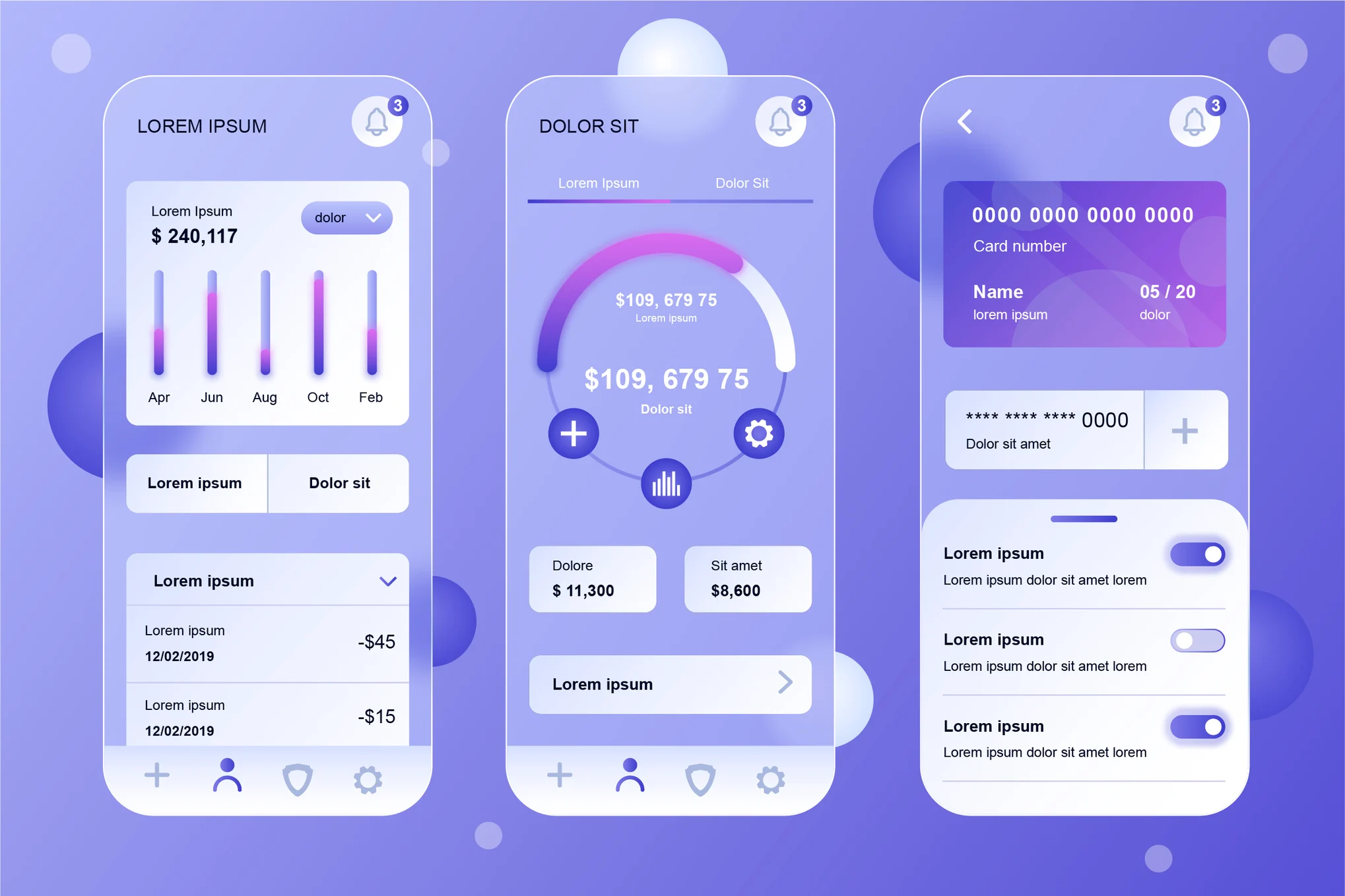
Neomorphism and glass morphism are no longer mere visual trends, but are developing into mature and practice-oriented design systems in 2025. The focus is now on accessibility, usability and performance to create surfaces that combine visual depth and dimensionality with functional clarity. The latest iterations combine subtle shadows, transparency effects and tactile feedback for a physical and interactive user experience. This trend deserves its place in the list of 2025 web design trends as it combines a modern aesthetic with improved usability and therefore has the potential to significantly enhance the digital experience for users.
What is behind it?
Neomorphism and glass morphism simulate the appearance of physical objects or glass surfaces through the skillful use of light and shadow. Transparency, blurring and subtle shadow effects are used to give the elements a certain depth and three-dimensionality. The further development of these styles now focuses on using these effects in such a way that they support user guidance rather than hinder it.
Features in detail:
- Soft, realistic shadows with subtle hints of depth: Instead of hard, unrealistic shadows, soft transitions are used to suggest a natural depth.
- Semi-transparent layers with background filters: Translucent elements create a sense of layering and depth.
- Context-related blur effects that react to background changes: The blur adapts dynamically to the background and creates a harmonious overall impression.
- Tactile hover and active states for interactive elements: Animations and color changes provide visual feedback during interactions.
- Variable depth systems based on the importance of the element: Important elements are emphasized by a stronger depth effect.
Advantages:
- Visually unique, modern surfaces: Neomorphism and glass morphism give websites a modern and unmistakable look.
- Subtle depth cues for the hierarchy of the user interface: The depth created by shadows and transparency helps to clarify the visual hierarchy of the elements.
- Improved user-friendliness through perceived affordances: The three-dimensional representation of elements can improve intuitive usability.
- A fresh alternative to flat design: Offers an alternative to the now widespread flat design.
- Enables creative expression while maintaining user-friendliness: The styles offer scope for creative design without compromising usability.
Disadvantages:
- Problems with accessibility if contrast ratios are not handled carefully: Transparency and blurring can lead to low contrast, which impairs legibility for people with visual impairments.
- Performance losses due to complex CSS effects such as backdrop filters: The implementation of the effects can have a negative impact on the performance of the website, especially on older devices.
- Can quickly appear outdated as visual trends change: As with all design trends, there is a risk that the style will quickly go out of fashion.
- Possibly not easy to implement on all device types: The display of the effects may vary on different devices.
- Potential for overuse leading to visual confusion: Excessive use of the effects can impair clarity.
Examples of successful implementation:
- Apple's macOS and iOS system interfaces
- Microsoft's Fluent Design System with acrylic materials
- Spotify's desktop application
- Banking apps such as Revolut with card-based neomorphic elements
- Adobe's Creative Cloud application interfaces
Tips for implementation:
- Ensure sufficient contrast ratios for accessibility.
- Use subtle implementations instead of extreme effects.
- Test the performance on different devices, especially for
backdrop-filter. - Combine the effects with micro-interactions for improved feedback.
- Make sure that interactive elements remain clearly recognizable.
When and why should you use this approach?
Neomorphism and glass morphism are particularly suitable for modern and innovative brands that want to offer a high-quality and visually appealing experience. However, make sure to use the effects sparingly and selectively so as not to impair usability. It is particularly important to consider accessibility in order to ensure a positive experience for all users. In the context of Search engine optimization design does not play a direct role in the ranking, but an appealing design can improve the user experience and thus indirectly contribute to better rankings.
8. augmented reality web experiences
Augmented Reality (AR) Web Experiences are one of the most important web design trends of 2025. Instead of downloading dedicated apps, users can now enjoy immersive AR experiences directly in the browser. This is made possible by WebXR and advanced JavaScript APIs. Designers can seamlessly integrate digital elements into the physical world to create interactive experiences ranging from virtual product try-ons to spatial information overlays and engaging educational content. This trend is changing the way users interact with websites and offers companies innovative ways to present their products and services.
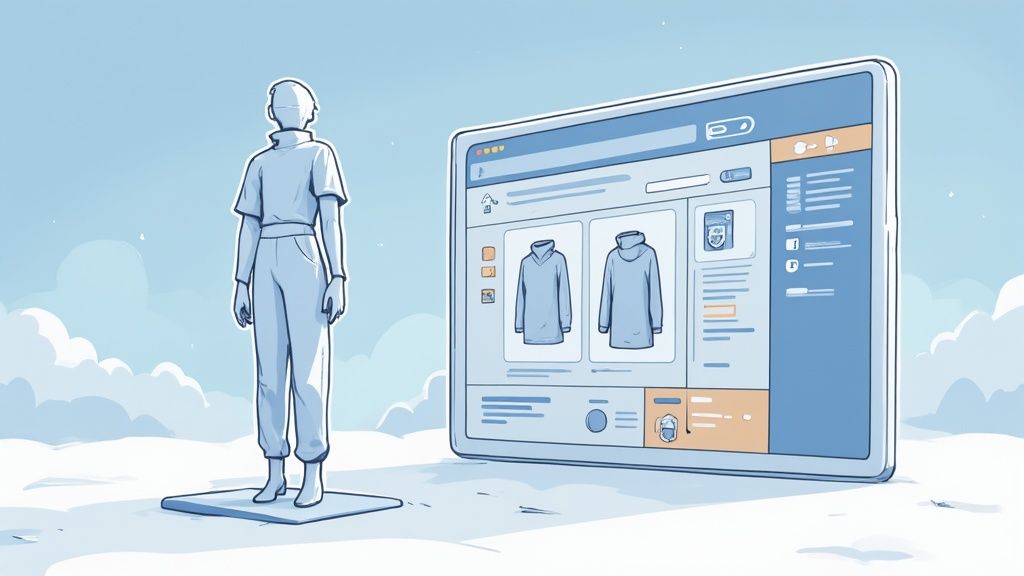
The integration of AR in web design offers numerous advantages, especially for e-commerce companies. Virtual try-ons and product visualizations allow customers to experience products realistically before buying. For example, furniture can be placed virtually in the customer's own living room or shoes can be tried on their own feet. This increases the willingness to buy and reduces the return rate. For medium-sized companies, AR web experiences open up new ways to attract attention in digital marketing and stand out from the competition. AR applications also offer great potential in the education sector to present complex issues in an interactive and understandable way.
Key features include the integration of the WebXR API, 3D model visualization in a real-world context, facial recognition for virtual fitting rooms, location-based AR content and the use of QR codes as triggers for AR experiences. Learn more about Augmented Reality Web Experiences and discover the full potential of this technology.
Advantages:
- Creates memorable and interactive user experiences
- Enables virtual product visualization and „try-before-you-buy“
- Eliminates the need for app downloads
- Offers innovative solutions for education and training
- Differentiates brands through cutting-edge technology
Disadvantages:
- Limited device compatibility
- Performance problems on weaker devices
- Complexity of the user experience and learning curve
- Development costs and need for technical expertise
- Battery consumption on mobile devices
Examples of successful implementations:
- IKEA's AR tool for furniture placement
- Gucci's virtual shoe fitting
- Shopify's product visualization tools for retailers
- Wayfair's „View in Room“ browser-based AR function
- Mozilla's WebXR experiments and showcases
Tips for implementation:
- Start with simple AR implementations such as 3D model viewers.
- Provide clear instructions for AR newcomers.
- Implement progressive enhancement with non-AR fallbacks.
- Optimize 3D assets for fast loading in mobile networks.
- Test extensively on different devices and under different lighting conditions.
pioneer of this technology:
- Apple with ARKit and AR Quick Look integration
- Google with ARCore and WebXR initiatives
- Mozilla's Mixed Reality Team
- E-commerce platforms such as Shopify with AR product visualization
- Fashion brands that are pioneering virtual try-ons
AR Web Experiences are an important web design trend in 2025 as they have the potential to fundamentally change online interaction. For companies that want to offer their customers innovative and immersive experiences, the integration of AR in web design is a decisive step towards success in the digital competition. From product presentation to customer service, AR opens up new opportunities for personalized and interactive customer experiences that can strengthen brand loyalty and increase sales.
9. sustainable and ethical web design
Sustainable and ethical web design has become a key trend in web design in 2025. Designers and companies are increasingly prioritizing environmental sustainability, digital accessibility, data protection and inclusive representation. This holistic approach considers the entire lifecycle and impact of digital products, from the energy consumption of servers to the handling of user data. This results in web experiences that are in harmony with comprehensive social and ecological responsibility. This trend deserves its place in the Top Web Design Trends 2025, as it takes into account not only the technical aspects, but also the ethical and social impact of the digital world.
What does that mean in concrete terms?
Sustainable web design means minimizing the ecological footprint of websites. Ethical web design focuses on making digital products accessible and inclusive for everyone, ensuring data protection and handling user data responsibly. Both aspects are closely linked and contribute to a positive user experience and responsible use of digital resources.
Features and benefits of sustainable and ethical web design:
- CO2-conscious design and development: Resource-saving programming and optimized data structures reduce energy consumption.
- Comprehensive accessibility: The implementation of accessibility standards that go beyond the minimum requirements enables all users, regardless of their abilities, to access web content.
- Ethical data collection and transparent data protection practices: User data is handled responsibly and data protection guidelines are communicated transparently.
- Including content and images: The representation of different population groups promotes inclusion and appeals to a wider audience.
- Performance optimization: Fast-loading websites consume less energy and improve the user experience.
Advantages (Pros):
- Reduces the environmental impact of digital products
- Extends target group reach through inclusive design
- Creates trust through ethical data practices
- Meets the growing values and expectations of consumers
- Future-proof design with regard to changing regulations
Disadvantages (Cons):
- May require additional development effort and resources
- May require complex trade-offs between different priorities
- Measuring the impact can be a challenge
- May restrict certain design or function options
- Requires continuous training and adaptation
Examples of successful implementation:
- The sustainably designed customer websites from Wholegrain Digital
- The Patagonia website that harmonizes performance and values
- The BBC's GEL (Global Experience Language) accessibility system
- The data protection-oriented web offers from Mozilla
- The solar-powered website of Low Tech Magazine
Practical tips for implementation:
- Measure the CO2 footprint of your website with tools such as the Website Carbon Calculator.
- Implement the WCAG 2.2 guidelines as the basis for accessibility.
- Choose green hosting providers that work with renewable energies.
- Optimize images and implement efficient caching strategies.
- Create transparent data protection guidelines and minimize unnecessary data collection.
10. hybrid navigation systems
Hybrid navigation systems are a major web design trend for 2025 and deserve their place on this list as they can significantly improve the usability and findability of content. They combine different navigation patterns to create more flexible, context-sensitive user interfaces. Instead of limiting themselves to a single navigation model, hybrid systems adapt to user behavior, device functions and the respective content. This leads to more intuitive and efficient navigation, especially for complex websites and applications.
How it works:
Hybrid navigation systems merge traditional menus with modern approaches such as AI-powered navigation, spatial interfaces, natural language search and contextual navigation elements that appear based on the user's context and intent. Imagine a user searching for a specific product in your e-commerce store. A hybrid system could offer them AI-based product recommendations, a search bar with autocomplete and contextual links to related products in addition to traditional category navigation.
Features:
- AI-supported, predictive navigation suggestions: The system learns from user behavior and suggests relevant content before the user even searches for it.
- Command interfaces (K-Bar) with keyboard shortcuts: Enable quick access to functions and content via defined key combinations.
- Context-sensitive navigation elements: Adapt to the user's current context and offer relevant navigation options.
- Natural language search with conversational interfaces: Allows you to search for content in natural language, similar to a search engine.
- Spatial navigation for complex information architectures: Provides a visual representation of the website structure and facilitates orientation, especially with extensive content.
Advantages:
- Takes into account different user preferences and behavior
- Adapts to different device types and screen sizes
- Improves wayfinding in complex websites and applications
- Reduces cognitive load through contextual relevance
- Enables more intuitive discovery of functions and content
Disadvantages:
- Increased complexity in design and implementation
- Potential for confusion if systems are not intuitively designed
- Technical challenges when implementing multiple navigation patterns
- Learning curve for users with unfamiliar navigation concepts
- Accessibility must be guaranteed across different navigation modes
Examples of successful implementation:
- Notion: Combination of sidebar, search and command palette.
- Figma: Multi-layered navigation system.
- Stripe documentation: Several navigation paths.
- Linear: Keyboard-based interface with context-sensitive navigation.
- Slack: Combination of spatial and conversational navigation.
Tips for implementation:
- User research: Understand the navigation preferences of your target group.
- Analysis: Track navigation usage patterns to identify optimization potential.
- Clear affordances: Make the various navigation options clearly recognizable and understandable.
- Keyboard accessibility: Make sure that all navigation systems are also accessible via the keypad.
- Hierarchy: Create a clear hierarchy between primary and alternative navigation methods.
Popularized by:
Productivity applications like Notion, Figma and Linear, documentation platforms with complex information architecture, design system teams at companies like GitHub and Shopify, UX thought leaders like Vitaly Friedman and Adam Wathan, navigation pattern libraries like Navigational Patterns from MazeDesign.
2025 web design trends at a glance
| Trend | 🔄 Complexity | 📊 Results | 💡 Purpose of use |
|---|---|---|---|
| Immersive 3D elements and spatial interfaces | High - complex 3D implementation | High - increased commitment | Brand presentations, interactive product presentations |
| AI-driven personalization and dynamic content | Medium to high - data-intensive | Significant - improved conversion | E-commerce, personalized services |
| Microinteractions and Motion UI | Moderate - fine timing required | Increase - improved usability | Interface feedback and emotional user loyalty |
| Dark mode and color scheme preferences | Moderate - manage multiple themes | Stable - increased user comfort | User-centered adaptation and long-term use |
| Variable fonts and typographic experiments | Moderate - learning curve for new technology | Innovative - fluid, responsive design | Brand communication and creative layouts |
| Advanced scroll-controlled experiences | High - complex animation techniques | Very interactive - immersive storytelling | Narrative-driven presentations |
| Neomorphism and glass morphism Evolution | Moderate to high - fine tuning | Visually appealing - modern look | Modern UIs and digital aesthetics |
| Augmented reality web experiences | High - device-specific, AR-complex | Impressive - immersive interactivity | Product visualizations and interactive education |
| Sustainable and ethical web design | Moderate - additional standards | Sustainable - building trust | Environmentally conscious, inclusive brands |
| Hybrid navigation systems | High - Integration of different systems | Versatile - flexible navigation | Complex information architectures and advanced apps |
Ready for the future? Web design with CSW.AGENCY
From immersive 3D elements and AI-driven personalization to microinteractions and sustainable design, the web design trends of 2025 offer incredible opportunities to revolutionize digital experiences and take your online presence to the next level. This article has highlighted the key trends, including the evolution of neomorphism and glassmorphism, variable fonts, dynamic content, hybrid navigation and advanced scrolling effects. Mastering these concepts will be crucial for companies in 2025 to stay ahead of the competition and provide a modern, engaging user experience.
The key takeaways for your business are to focus on a personalized user experience, integrate interactive elements, optimize the user experience through innovative navigation and incorporate current design aesthetics such as dark mode. By applying these 2025 web design trends, you can not only capture the attention of your target audience, but also increase the Conversion rates and strengthen your brand identity.
Remember: A contemporary Web design is more than just aesthetics. It's about building a connection with your customers, getting your message across effectively and achieving your business goals. Search engine optimization (SEO) plays a central role in this and is positively influenced by taking Web Design Trends 2025 into account. A user-friendly and technically optimized website contributes significantly to improving your ranking and increases your visibility in the digital space.
CSW.AGENCY helps you to effectively utilize the Web Design Trends 2025 for your business. Contact us today to find out more about how we can help you achieve your goals in the digital space and future-proof your business. The future of web design is here - shape it with us!