

WordPress security depends primarily on the extensions running on your website. The core itself is well-maintained — in 2025, six vulnerabilities were reported there, while 91 percent of all new vulnerabilities originated from plugins within the WordPress ecosystem. The effective levers therefore lie in the selection, maintenance, and monitoring of what you have additionally installed. Three areas determine the outcome: the update speed, the assignment of permissions, and maintenance that remains effective even when no one is watching.
The vulnerabilities are in the extensions
The Patchstack security report counts for the year 2025 in total 11,334 new vulnerabilities in the WordPress ecosystem, 42 percent more than in the previous year. 91 percent of these accounted for plugins, 9 percent for themes, and six reports for the core of WordPress. 1,966 entries (17 percent) had a high severity level, and the number of particularly easily exploitable vulnerabilities increased by 113 percent compared to the previous year. Paid extensions perform worse in this regard than free ones: 76 percent of the vulnerabilities found in premium components were practically exploitable, and the number of proven exploited vulnerabilities was three times higher there than in their free counterparts. A purchase price is therefore not a quality indicator for security. Anyone wanting to assess the WordPress security of their website should therefore look at the vendor's update behavior and the age of the latest version, not the license price.
August 2026 provides the practical examples for this. On August 29th security researchers reported five critical vulnerabilities in popular extensions, including GiveWP (CVE-2026-82222, CVSS 10.0), TranslatePress with around 400,000 installations, and Pods with around 100,000. Ten days earlier Elementor had released version 4.2.2 and thereby closed an upload vulnerability that attackers could use without authentication to execute PHPwere able to upload files to the server — affecting over six million active installations. None of these issues were in the core, and in all cases, an update was sufficient to close the vulnerability.
Five hours ahead, that is all it is
After the disclosure of a vulnerability, the weighted median takes five hours until the first observed attack. Around half of high-impact vulnerabilities are exploited within 24 hours. Attackers use automated scans across broad address ranges to find the vulnerable version, which affects small business websites just as much as large portals. The size of your website therefore does not protect you. At this pace, a monthly maintenance schedule is no longer sufficient, and the traditional workflow of ticket, approval, and deployment on the next business day falls outside the attack window.
To make matters worse, some of the gaps cannot even be closed at the time of publication: 46 percent there was no update available from the developer for the reports. For these cases, the only options are to deactivate the affected extension, replace it, or block the attack vector via a firewall before it reaches the application. You should not rely solely on the hoster's protection: Patchstack measured that the usual defense mechanisms only blocked 26 percent of attacks, in the case of already known Exploits even just 12 percent. The case shows how quickly a single report turns into an automated mass scan wp2shell forces WordPress websites to update shown in July 2026.
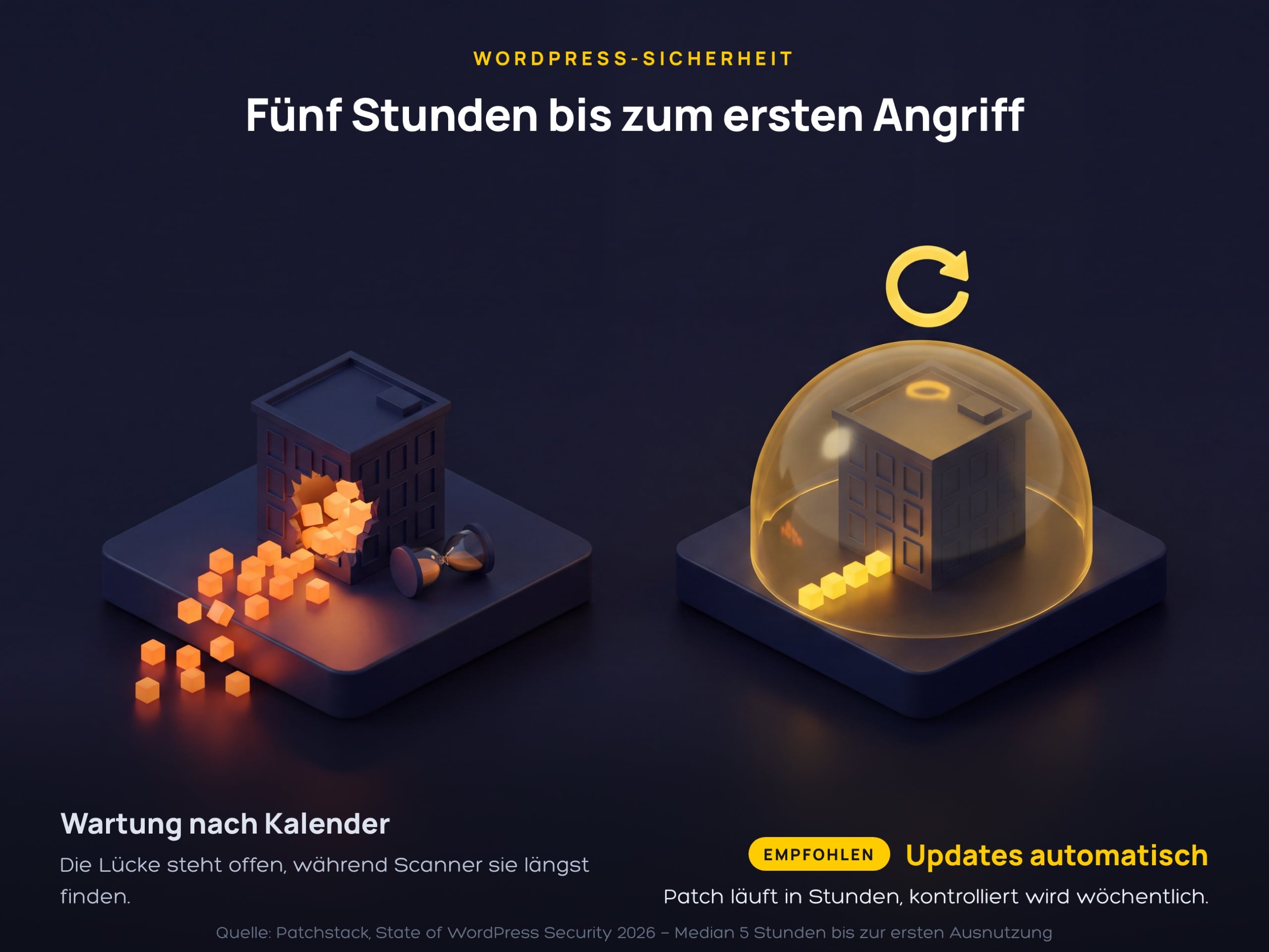
The diagram compares the two operating modes side by side. On the left, calendar-based maintenance is running, the gap remains open, and the scanners have long since arrived. On the right, automatic updates kick in within hours, and the weekly check merely confirms that everything has run through.
Restrict access and privileges
The second lever is the accounts and permissions in the system. The official WordPress documentation It describes a set of hardening measures for this purpose that do not require additional software and work identically in every installation. Their purpose is damage limitation: if an extension is compromised after all, permission settings determine whether an attacker can only reach this single component or the entire database right away. These points can be set up once and thereafter only need to be updated when changes are made to the team or the hosting.
- Avoid the username „admin“ and assign each account only the role it needs for its task—editors do not need administrator rights.
- Use strong passwords without dictionary words and additionally Two-factor authentication Activate.
- Grant the database user only SELECT, INSERT, UPDATE, and DELETE privileges and revoke structural privileges such as DROP or ALTER.
- The file
wp-config.phpwith file permissions set to 400 or 440 and direct access via.htaccessblock. - Set directories to 755 and files to 644 so that the web server can only write where necessary.
- Obtain extensions exclusively from the official directory or directly from the manufacturer and NulledConsistently avoid versions.
Maintenance that withstands the ultimate test
The third lever is routine, and it determines WordPress security in everyday life. A once-hardened installation loses its advantage as soon as the next update is pending or a Plugin runs without supervision. The same mechanics apply to visibility as we do under SEO is not a one-time project have described. The following five points can be translated into a fixed weekly and quarterly cycle and cover the operation of a typical corporate website.
- Enable automatic updates for core, plugins, and themes, and check weekly to ensure they have run successfully.
- Create a full backup including the database weekly and test the recovery once a quarter in a test environment.
- List all installed extensions and remove any that have not received an update in over a year.
- Monitor login attempts and file changes so that an intrusion isn't first noticed through a Google warning.
- Define for an emergency who takes the website offline, who restores the backup, and who informs the users.
What is decisive here is less the scope of the individual inspection than the reliability of the cycle. A weekly check on updates and login attempts catches most cases, as long as it actually takes place every week and someone is named as being responsible for it. Anyone who does not want to handle these tasks themselves delegates them to a WordPress Agency Düsseldorf and receives a fixed schedule along with a protocol in return.
FAQs on WordPress security
Is WordPress insecure?
No. The WordPress core is considered well-maintained; six vulnerabilities were reported there in 2025. The risk arises from extensions: 91 percent of the year's 11,334 reported issues involved plugins, and 9 percent involved themes. A lean installation with few, well-maintained extensions is therefore significantly more secure than a bloated one.
How quickly do I need to update WordPress and the plugins?
As quickly as possible, ideally within 24 hours of a security update's release. The first exploitation of a disclosed vulnerability occurs within a weighted median of five hours, and around half of high-impact vulnerabilities are attacked within a day.
Are automatic updates enough?
Automatic updates cover the most important part of WordPress security, but leave a gap. For 46 percent of the vulnerabilities reported in 2025, there was still no update from the vendor at the time of disclosure. In those cases, the only solutions are disabling, replacing, or virtual patching via a firewall.
Do I need a security plugin?
A security plugin is useful for monitoring and virtual patching, but it does not replace updates. According to Patchstack, standard defense mechanisms blocked only 26 percent of attacks, and only 12 percent in the case of already known exploits.
How do I know if my WordPress website has been hacked?
Typical signs are unknown administrator accounts, newly created or modified PHP files, unexpected redirects, and warnings in Google Search Console. If you suspect an issue, you take the website offline, restore a clean backup, and then change all access credentials, including those for the database and FTP.